Showing posts with label Ubuntu. Show all posts

Saturday, June 11, 2011

Accidental success - Working DRI on iBook G4

I upgraded the Ubuntu installation my iBook G4 recently to 10.10 version (Maverick Meerkat). Ubuntu has worked pretty well on this laptop considering that powerpc is not officially supported architecture.
Compared to 10.04 the video/graphics performance is certainly better in 10.10. There are no blocking artifacts in video playback with totem/VLC. The one thing I wanted to test is if DRI works. Unfortunately it does not work by default. AFAIK this is because the radeonfb driver is built in the kernel and it doesn't allow the radeon driver to take over. This also means that hardware acceleration is not enabled.


onkar@iBook:~$ dmesg |grep radeon # radeonfb module loaded, not radeon
[    0.629237] radeonfb 0000:00:10.0: enabling device (0006 -> 0007)
[    0.824915] radeonfb 0000:00:10.0: Invalid ROM contents
[    0.824925] radeonfb (0000:00:10.0): Invalid ROM signature 0 should be 0xaa55
[    0.824934] radeonfb: Retrieved PLL infos from Open Firmware
[    0.824942] radeonfb: Reference=27.00 MHz (RefDiv=12) Memory=190.00 Mhz, System=183.00 MHz
[    0.824947] radeonfb: PLL min 12000 max 35000
[    1.734848] radeonfb: Monitor 1 type LCD found
[    1.734852] radeonfb: EDID probed
[    1.734856] radeonfb: Monitor 2 type no found
[    1.734870] radeonfb: Using Firmware dividers 0x000600ad from PPLL 0
[    1.873860] radeonfb: Dynamic Clock Power Management enabled
[    1.916986] radeonfb: Backlight initialized (radeonbl0)
[    1.916991] radeonfb (0000:00:10.0): ATI Radeon 5c63 "\c"
[    6.978088] [drm] radeon defaulting to kernel modesetting.
[    6.978102] [drm] radeon kernel modesetting enabled.
[   72.399727] radeonfb 0000:00:10.0: Invalid ROM contents
[   72.399919] radeonfb 0000:00:10.0: Invalid ROM contents
onkar@iBook:~$ glxinfo |grep -i render # No hardware acceleration
direct rendering: Yes
OpenGL renderer string: Software Rasterizer
    GL_NV_conditional_render, GL_NV_depth_clamp, GL_NV_fragment_program,
onkar@iBook:~$ ls -l /dev/dri*
ls: cannot access /dev/dri*: No such file or directory
onkar@iBook:~$ cat /proc/fb
0 ATI Radeon 5c63


After looking through some search results in google I decided to try a simple kernel parameter - video=ofonly.
And it works. Following is result of same commands after booting.


onkar@iBook:~$ dmesg |grep radeon # radeon module loaded, radeonfb nowhere in the scene
[    5.863269] [drm] radeon defaulting to kernel modesetting.
[    5.863283] [drm] radeon kernel modesetting enabled.
[    5.863409] radeon 0000:00:10.0: enabling device (0006 -> 0007)
[    5.898390] radeon 0000:00:10.0: Invalid ROM contents
[    5.898411] radeon 0000:00:10.0: Invalid ROM contents
[    5.898419] [drm:radeon_get_bios] *ERROR* Unable to locate a BIOS ROM
[    5.898454] [drm:radeon_agp_init] *ERROR* Unable to acquire AGP: -19
[    5.898477] radeon 0000:00:10.0: VRAM: 128M 0x98000000 - 0x9FFFFFFF (32M used)
[    5.898485] radeon 0000:00:10.0: GTT: 512M 0x78000000 - 0x97FFFFFF
[    5.898550] [drm] radeon: irq initialized.
[    5.898751] [drm] radeon: 32M of VRAM memory ready
[    5.898757] [drm] radeon: 512M of GTT memory ready.
[    5.920977] [drm] radeon: ring at 0x0000000078000000
[    5.921436] [drm] radeon: ib pool ready.
[    6.566905] fb: conflicting fb hw usage radeondrmfb vs OFfb ATY,Via_B - removing generic driver
[    6.568244] fb1: radeondrmfb frame buffer device
[    6.568431] [drm] Initialized radeon 2.5.0 20080528 for 0000:00:10.0 on minor 0
onkar@iBook:~$ glxinfo |grep -i render # Direct rendering working, cheers. :-)
direct rendering: Yes
OpenGL renderer string: Mesa DRI R200 (RV280 5C63) 20090101 PowerPC/Altivec TCL DRI2
onkar@iBook:~$ ls -l /dev/dri*
total 0
crw-rw----+ 1 root video 226,  0 2011-06-08 22:15 card0
crw-rw----  1 root video 226, 64 2011-06-08 22:15 controlD64
onkar@iBook:~$ cat /proc/fb
0 OFfb ATY,Via_A
1 radeondrmfb


Caveats:
1. In boot sequence, after few text messages the screen goes completely blank for about 1 minute. It looks as if the screen is dead. But in the end the gdm shows up fine.
2. The consoles accessed through Ctrl + Alt + F1-F6 are no more available. When trying to access them the screen simply freezes and mouse cursor disappears. Good thing is that pressing Ctrl + Alt + F7 makes the display alive.

Notes:
The same kernel parameter does not work on Debian (testing). After the message about 'conflicting fb hw usage' appears on screen the boot process stops completely.

Next steps:
1. Now that hardware acceleration works, try Ubuntu 11.04 with it's infamous Unity interface (using live CD for now).
2. Try to rebuild the kernel to make radeonfb a module instead of being built in the kernel. Then check if DRI works without the special kernel parameter.

Tuesday, September 15, 2009

Less than 1% non-Free

Joining in… Planet Ubuntu Virtual Richard M. Stallman meme.


My iBook laptop when using Ubuntu Jaunty.

onkar@iBook:~$ vrms
Non-free packages installed on iBook

linux-powerpc Complete Linux kernel on PowerPC.
tangerine-icon-theme Tangerine Icon theme

Contrib packages installed on iBook

b43-fwcutter Utility for extracting Broadcom 43xx firmware

2 non-free packages, 0.1% of 1389 installed packages.
1 contrib packages, 0.1% of 1389 installed packages.

Correctness:
1. I am not sure why linux-powerpc is being considered non-Free. I will have to discuss with powerpc team in Ubuntu.
2. As already pointed out at several places tangerine-icon-theme actually uses CC-BY-SA license and is wrongly identified as non-Free.


Same laptop with Debian testing.

onkar@iBook:~$ vrms

No non-free or contrib packages installed on iBook! rms would be proud.

Correctness:
1. I am using non-Free firmware for bcm4306 wireless chipset. But I didn't install b43-fwcutter to download/extract firmware. Instead I simply copied the firmware files from Ubuntu to Debian.


My PC with Ubuntu Karmic.

onkar@ubuntu:~/programs/swt-gtk$ vrms
Non-free packages installed on ubuntu

tangerine-icon-theme Tangerine Icon theme

Contrib packages installed on ubuntu

flashplugin-installer Adobe Flash Player plugin installer

1 non-free packages, 0.1% of 1562 installed packages.
1 contrib packages, 0.1% of 1562 installed packages.

Correctness:
1. tangerine-icon-theme shows up here too.

Saturday, December 01, 2007

The beauty & the beast - installation of Ubuntu

NOTE: This installation was done on the same day as I wrote my last post. But didn't get enough time till date to write this.

I was too eager to get to get Ubuntu running on the iBook. I had already downloaded and burnt Ubuntu Gutsy (7.10) PPC 'Alternate CD'.
Originally I had planned for freeing up about 15 GB of space by removing photos, songs and some documents. But since my brother was not sure what all things were backed up and I was not interested in spending hours to write backup CDs I decided to go ahead with 5 GB free space.

Put the CD in CD drive and restarted the iBook. 'C' key needs to be pressed while booting to boot from CD.
Started installation in default 'install' mode. The text installer has not changed much since Warty (4.10). Cool. :-)

The installer asks many questions, one of the most important being disk to be used for installation and partitions.
Since I was not sure about what kind of boot partition was needed to have a dual boot I decided to use guided partitioning.
The drive had only one partition of 30 GB so I had to first resize it.
The partition manager asked me the new size of partition. It also told me that it can not be less than 25 GB since the largest free block in this partition was 5GB.
Wonderful. So resize existing partition to 25 GB and then use the 5 GB with guided partitioning to create necessary partitions for Ubuntu.

Nope, not that easy. The partition manager complained that it could not resize HFS+ partition. Stuck. :-(
I don't have a live CD so I can not use it to resize the partition. The disk management program in Mac OS X will not let me resize partition. And alternate CD installer tells me it does not know how to resize HFS+ partition. The worst problem was that I did not have internet access to search the solution.

About 10 minutes of thinking and some trials on my PC and I realized that there was a wonderful tool called parted. Not sure if it can do the job but there is no harm in trying.
I went back to installer menu and executed shell, which is named 'ash'). ash is a POSIX complaint shell with minimal features. Hence it is included on boot floppies and installation disks. (Actually it is dash which is a port of ash to linux)
After executing the shell I started parted program. It showed me the existing partitions and I gave the appropriate commands to resize the HFS+ partition to 25GB.
Wow, it says it will take around 40 minutes to do the job.

Break started.

Listened to some songs. :-)

Washed some clothes soaked up since morning. :-P

Ate 1-2 dry-fruit laddoo. :-D

This is all going on at around 1 in night.

Break ended.


Resizing finished.
Guided partitioning using remaining 5 GB. 1 MB allocated to 'NewWorld' boot partition, 275 MB for swap. Remaining went into '/'.

The installer continues after partitioning. It took around 25 minutes for the installation to finish all the stages and reboot. The boot loader installed was yaboot, not grub as it is usually done on x86 machines. Default boot option was linux obviously which means Ubuntu in my case. :-)

Felt really good to see the familiar screen and colors of Ubuntu on that 12" screen. :-)

Initial goodness:
ATI Radeon Mobility 9250 is supported by Free 'ati' drivers. So compiz works out of box.
Even though the machine is only 1.2 GHz it feels like it runs pretty fast compared to my PC with 1.6 GHz AMD Athlon processor. But this might be due to more RAM or I may be wrong.

Initial badness:
The default installation does not contain OpenOffice.org. :-( (Ubuntu bug 164491)
There is no sound. In fact there is no device created for ALSA to use. (Ubuntu bug 60381)

I realized that there must be some sound module missing (not loaded).
'slocate snd- |grep ppc' told me that there was a module called snd-powermac. So I just loaded module with modprobe command and it was working. I also added it to /etc/modules file to load it on startup.
Surprisingly the sound in Ubuntu is louder/clearer than what iTunes/iPhoto produce in Mac OS X. Not sure if this is problem in applications or Mac OS X.

Soon I installed openoffice.org, many gstreamer plugins, libdvdcss2, thoggen by downloading them at a friend's place.

Now waiting for my phone/net connection transferred so that I can actually start some development work on this beast.
Yes, I have been busy and lazy at the same time. :-D

Coming up next - some nice photos and screenshots when I get the internet at home. :-P

Saturday, October 28, 2006

Beryl - Special effects at your desk(top)

Following the keystrokes of G0SUB and tuxmaniac, I finally installed Beryl on Edgy Eft i.e. Ubuntu 6.10 .
('Following the keystrokes' is computer world analogous of 'Following the footsteps')

It is too good. It provides loads of special effects. It is too hard to express in words. That is why I have made a small video for all to checkout. The effects included in video are, minimize/restore, shade, show desktop, switch workspace, switch applications, close application. The video is in Theora/Ogg format. If you are in Windows/Mac OS X, you will probably need VLC player to play it.

Download the video - Beryl Video. The download is about 2 MB.

People using Mac OS X 10.3+ should be already familiar with these effects. Windows users will have to wait till Vista is out I guess.

Notes:
1. I have followed the tutorial provided at https://help.ubuntu.com/community/BerylOnEdgy. I use ATI Radeon 7000 AGP card. If you are using any card other than Intel, ATI, nVidia then you will have to use trial and error method.
2. I have recorded this video using istanbul. For that one need to tweak some settings.
a) Once you load istanbul, select 'Record 3D' instead of 'Record Mouse Pointer' in the context menu of tray icon
b) Select 'Full' size in the context menu of tray icon.
c) Open gconf-editor and edit the setting video_framerate in /apps/istanbul. Set it to 5 instead of default 10. Lower the value, more watchable video. This setting is not exposed through UI.
3. I am sure some of you will notice that the time shown by the clock in video is 1st January, around 12 pm. That is because the battery of my BIOS died today and time gets reset on every reboot. :-D

Thursday, September 28, 2006

First experience of l10n

When we were being trained as new developers in my company two years back, our training included concepts of l10n and i18n and how to implement it in programs. Although our project is i18n enabled, I never actually ever took part in any translation.

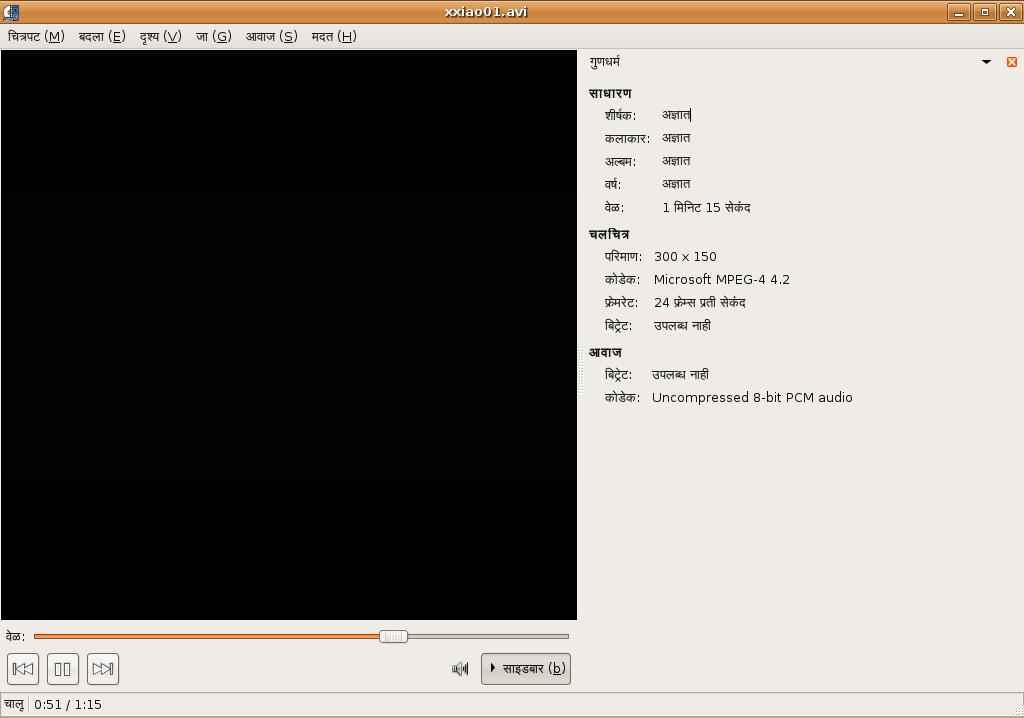
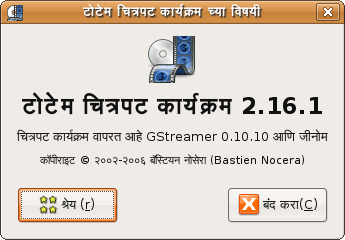
My first experience with l10n is translation of Totem to Marathi. It has been so far good with Totem getting 50% translated except that I was hit by this bug.
It is funny to get bitten by the bug in your own work on an OS that is in pre-beta stages.
(This is the first time I dared to install a pre-beta version of Ubuntu, or rather any OS)

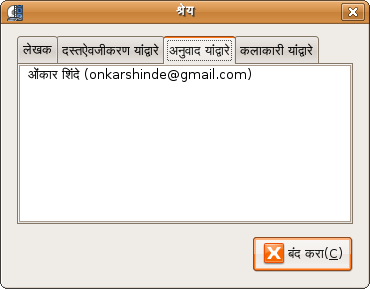
Following are some sample screenshots.

Totem playing an audio (you can see the properties of file, menus translated)

Totem playing a video

About Totem

Translation credits


The translation is in GNOME CVS and will be available in GNOME 2.16.1
Now I plan to translate at least one more application in Rosetta, probably Sound Juicer, before LanguagePackTranslationDeadline in Edgy.

Wednesday, January 04, 2006

It's about choice

Yesterday morning I and Debajit had this chat.

-- START TRANSCRIPT --

Debajit: yes the intel macs will definitely be out in 2006
Debajit: apple will mostly come out with a new intel laptop line that will be cheap or at least comparable to the current dell, compaq laptops etc
Onkar: :-D Then I will wait

(Currently I have no intention to buy a new machine)

Debajit: it will most probably be based on Intel's new "dual-core" Yonah processor, and not on the pentium -- and it will also be 64 bit I think
Debajit: :)
Onkar: Coooooooooooooooooooollllllllllll
Debajit: apple will make an announcement at macworld later this Jan -- it will all be confirmed by then

(Read more about it)


Onkar: Ok
Debajit: apple is also releasing Leopard (Mac OS x 10.5+) the new version of their OS -- that will compete directly with Longhorn when it is released later this year.... and with Linux, the competition is going to be really hot -- 2006 is said to be the year of the 3 L's -- Leopard, Linux and Longhorn :D
Onkar: :-D
Debajit: I think by 2007 firefox may become the most popular browser --
Debajit: :D
Onkar: But by end of 2006 we will have two more releases of Ubuntu family, one more Mandriva, Suse, Slackware, Fedora and perhaps one more Gentoo.

-- END TRANSCRIPT --

So by the time Windows Vista (Longhorn) or Intel based Macs release by end of next year I would have two OS upgrade cycles for my desktop and my dad's laptop which will ...
1. Accomplish almost any task that I will ever want to do including Bluetooth transfers, video transfer over FireWire, video editing, wireless connectivity.
2. not require me to upgrade my machine or buy a new. I already have 512 RAM and my Dad's laptop has almost everything he (and eventually me) will need for next 5 years.
3. not cost me any money other than buying/downloading Ubuntu CD and still I will be using one of the most robust and advanced OS. I will be fool to call Windows robust and advanced. I am comparing Linux to Mac OS X.

I remember Oracle saying to Neo in Matrix Revolutions, "You have already made the choice. Now you have to understand the choice"

In my case I have already understood the choice.

My advice to you,
1. If you are buying new machine then buy something Linux based and save money to be paid for Windows.
2. If your machine is more than 3 years old, having speed at least 400 MHz, RAM at least 128 MB then try Ubuntu/KUbuntu. You won't be disapponited. Once everything is working you can always upgrdae your RAM.
3. If you think Linux doesn't support mp3 or wmv out of box then understand the reason behind it. Know the process to enable the support. Even Linux newbies can do that.


Enjoy the freedom of choice.

NOTE: I have a wish to own a Mac sometime in my life. But I am really happy with Ubuntu currently and don't plan to buy a new machine at least next 5 years just to check Mac OS X.

Wednesday, October 05, 2005

Breezy October

This rainy season has been worst I have ever seen (not to mention I have seen just 22 rainy seasons). Mumbai had very bad flood situation and almost all the districts in Maharashtra are poured with more than average rains. Till September last week rain had not stopped (at least in Pune). We can expect a large drop in temperature in winter and it may lead to cold winds.
But that is not why October is going to be breezy.


I have waited long for Ubuntu's next release 5.10. This will be third release of Ubuntu I will be using and it has become my primary and only operating system at home.
Don't be surprised that I dumped Windows an year ago, tired of seeing all those BSODs and taking care of unwanted guests a.k.a. viruses and worms.

I am extremely happy about the way GNU/Linux is blended in a usable distribution by Ubuntu developers/maintainers. The Ubuntu community is growing continuously and the distro is at the top at distrowatch leaving Mandriva, SUSE, Fedora far behind.
And if you are KDE lover (read as 'GNOME hater') then also you have no reason to be unhappy with Ubuntu because sister project KUbuntu delivers same distro with KDE as default desktop environment. I will surely like to try Edubuntu (set to release sometime this month) which is being made for classroom use. The package list looks good. So if you know any school or college in India that would love to try it then let me know. May be I could help.

Since all the releases are code named Breezy Badger, the October is going to be real breezy.